Give every contact a face. A desktop app that fills Google Contacts with your contacts'
profile photos from WhatsApp, Telegram, Gravatar and their social profiles, and tidies
up duplicates on the way.
These cards are contacts too. Most of them are a letter in a circle.
W
What it is
The address book problem
Most of the people in my phone have a WhatsApp photo, and in Google Contacts they are
all coloured circles with a letter. Social Contacts Sync matches each Google contact
to its WhatsApp and Telegram accounts by phone number, and to Gravatar by email
address, and puts the photo on the contact.
For the people who aren't on any of those, it can use the social profiles saved on a
contact, and it helps find them: it suggests Instagram, LinkedIn, Facebook, Bluesky,
Mastodon and GitHub profiles with the same name, and links the ones you confirm.
R
Runs on your computer
Windows, Linux, macOS
The app starts a small local server and opens it in its window, so your contacts only
travel between your computer, Google and the sources you connect. In English and
Italian, light or dark.
It grew out of
WhatsApp Contact Sync
by Guy Zylberberg. This fork adds the desktop app, more sources and the clean-up
tools, and keeps his licence.
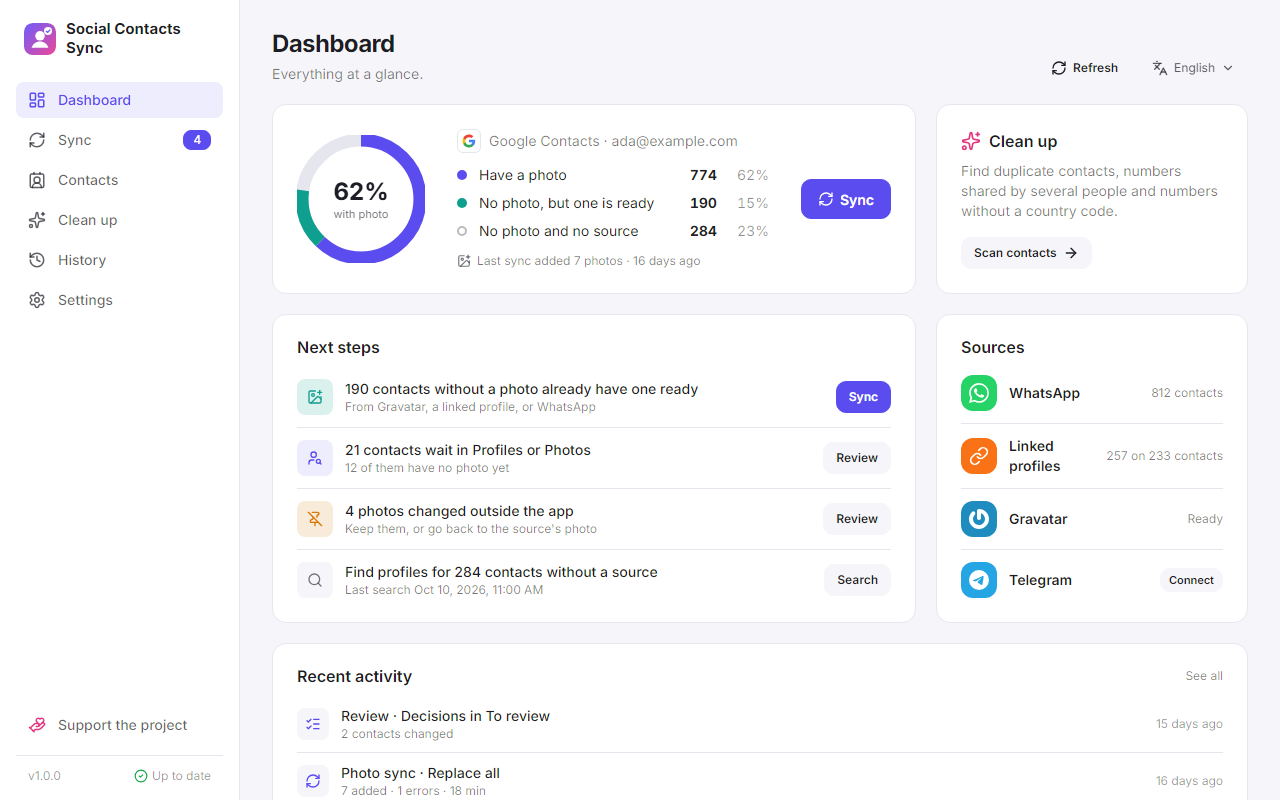
The dashboard — who has a face, who has one ready, and what to do next.P
Photos from your sources
Feature
WhatsApp and Telegram, matched by phone number, Gravatar, matched by email, and the
profile links saved on a contact, each network a source of its own, all in one order
you choose. Each source says whether it is ready, and connecting or signing in happens
right there. Telegram only reads the contacts you already have there.
A photo picked from a source keeps following it, so the next sync brings that
profile's new picture. A photo changed by hand in Google is never overwritten.
A
A sync that asks
Feature
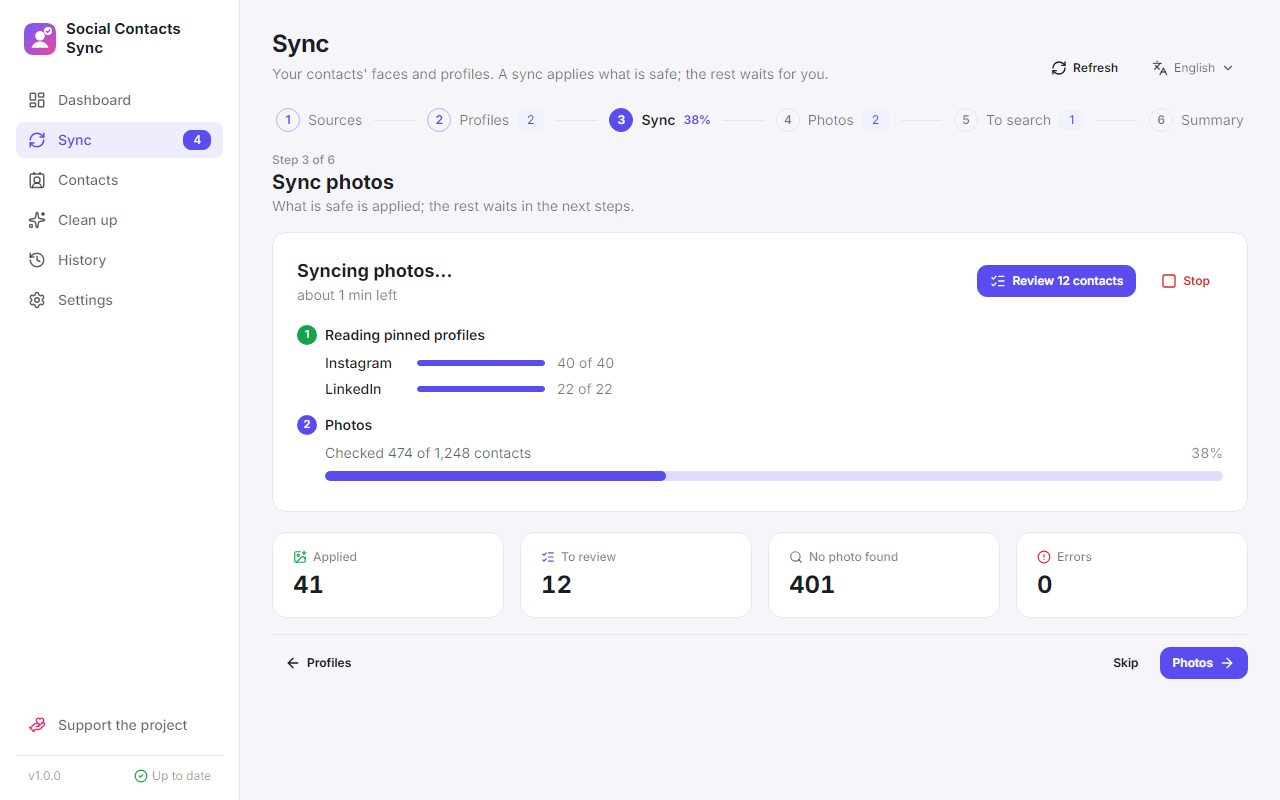
Sync goes step by step: sources, profiles, the sync itself, photos, the contacts with
nothing found, and a summary. A sync fills in missing photos and updates the ones that
follow a source. Anything it is not sure about waits for you: a different photo for a
contact that already has one, or a photo changed outside the app.
If a source stops working, the sync leaves it out and goes on. If a site signs you out,
you can sign in again right where it says so. The summary lists what didn't finish,
each with its fix.
A sync in progress, step 3 of 6.U
Reports and undo
Feature
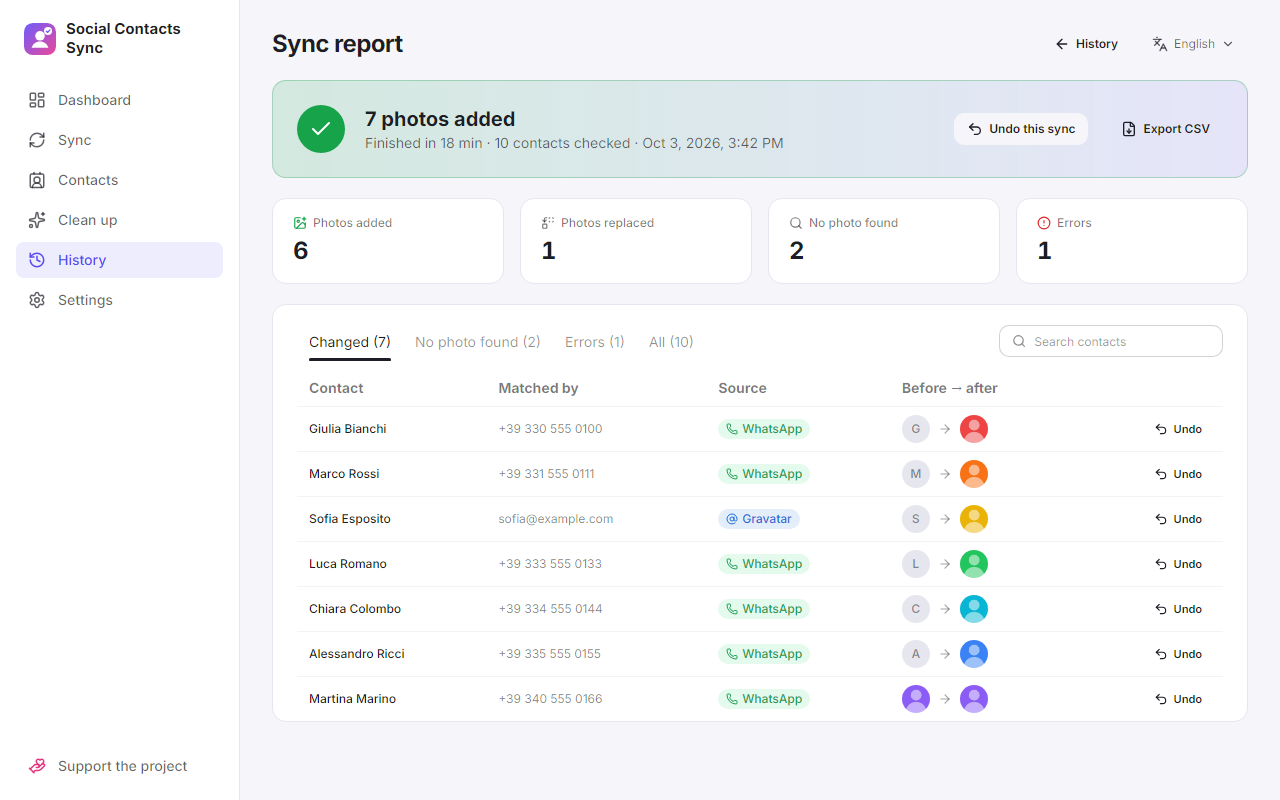
Every sync and every review session is kept in History, with a report of what changed
and the photo before and after. Undo one contact or the whole entry: the photo, the
profile links and the source the photo followed go back together.
The report — before and after, with undo per contact.R
Profiles and photos
Feature
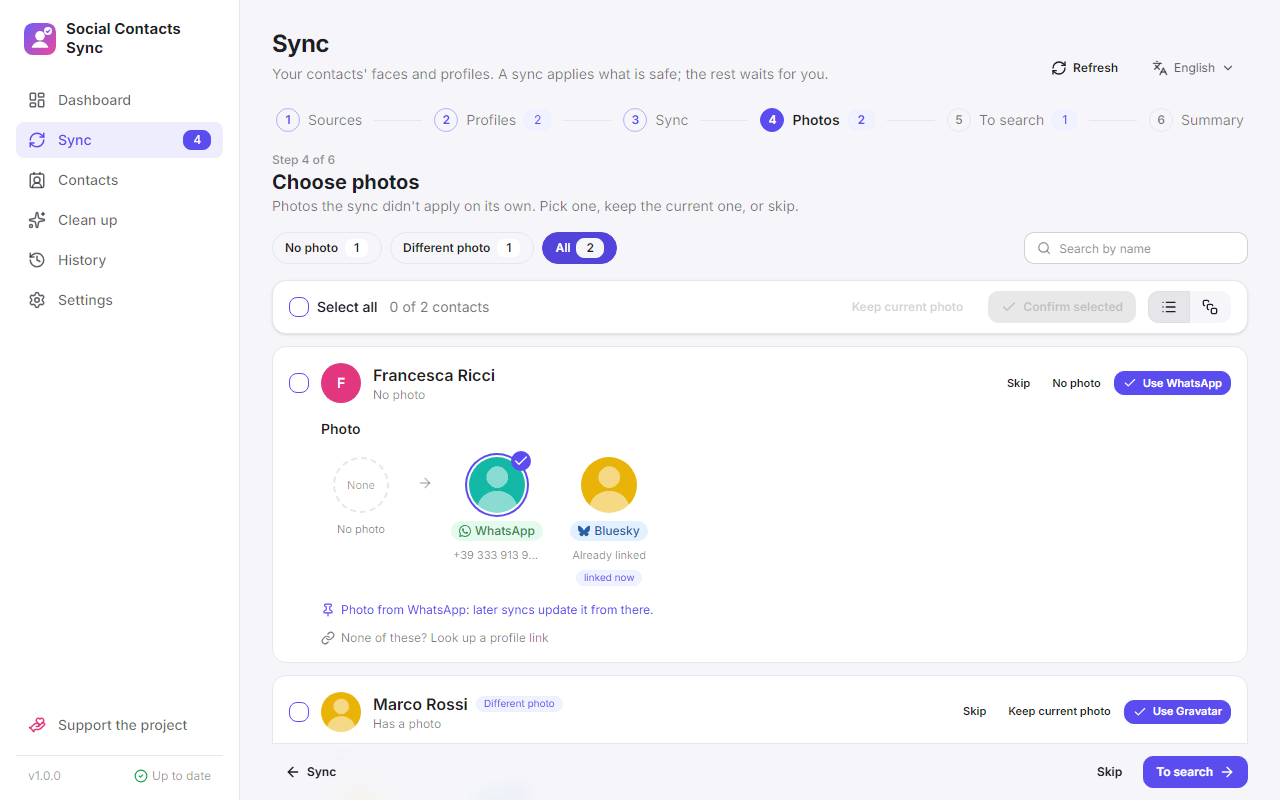
One card per contact, kept between sessions. First tick the social profiles that are
really them; then pick one photo among every source and the profiles you just linked.
Only photos sharp enough and different from the current one are offered. The contacts
where nothing was found get a step of their own, to search a profile or upload a
photo; what a search finds shows up right on the card, each profile with its photo,
linked with one click. Filter by what a card needs, or search by name. The suggestions come from your own
Instagram and LinkedIn data exports and a public search on Bluesky, Mastodon and
GitHub. A search by name and a scan of your own followers with your Instagram,
Facebook or LinkedIn login are there too, only when you start them: they go against
those sites' terms, and the app says so first.
Pick whose photo to use, including the profiles you just linked.C
Contacts
Feature
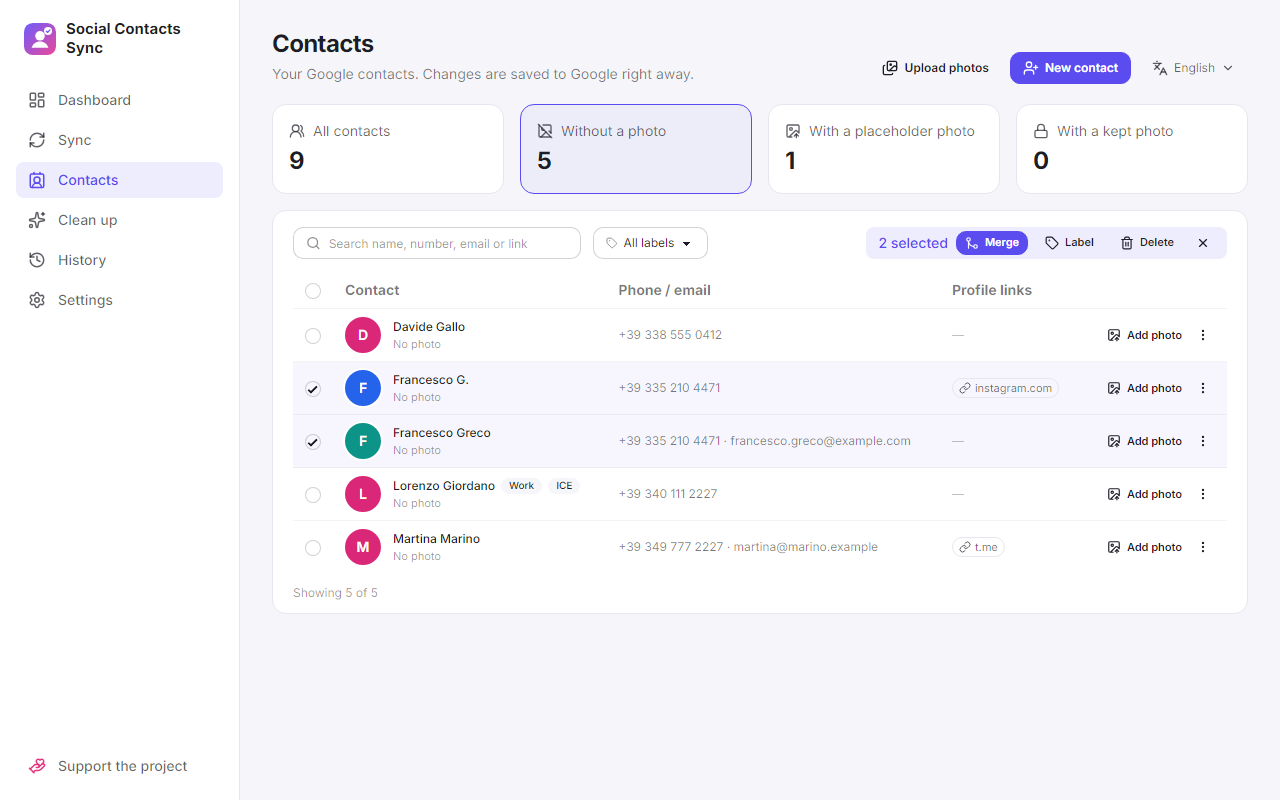
Every Google contact in one list: edit every field, add, merge, label and delete them,
and upload photos by hand. A kept photo is never replaced, and the contact can still
be linked to its profiles.
The ones still without a photo come first.D
Duplicates
Feature
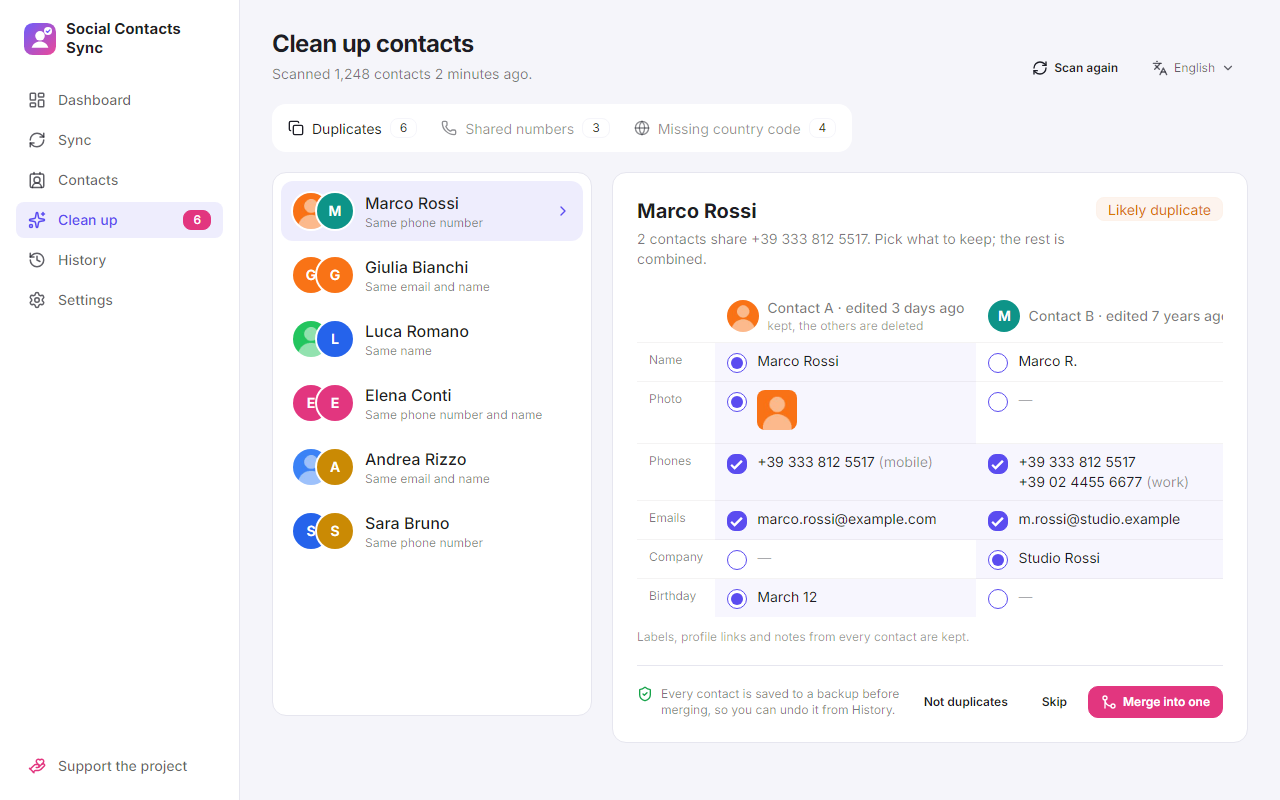
Finds contacts that share a number, an email or a name, and merges them field by field. Google has no merge, so every contact is backed up first and the merge can be undone.
Pick each value, the rest is combined.S
Shared numbers
Feature
A number saved on two different people would put one person's photo on the other. Keep it on the right one, merge them, or mark it as shared so syncs skip it.
+
Country codes
Feature
Numbers saved without +39 or another prefix are listed with the fixed version, and fixed in one go.
G
Get it
From the releases page
The portable and AppImage builds need no installation and keep their settings next to themselves.
Windows
Portable .exe, or installer with automatic updates
Linux
.AppImage with automatic updates, or .deb
macOS
Universal .dmg
The installer and the AppImage download a new version by themselves and ask before
installing it. Automatic downloads can be turned off in Settings.
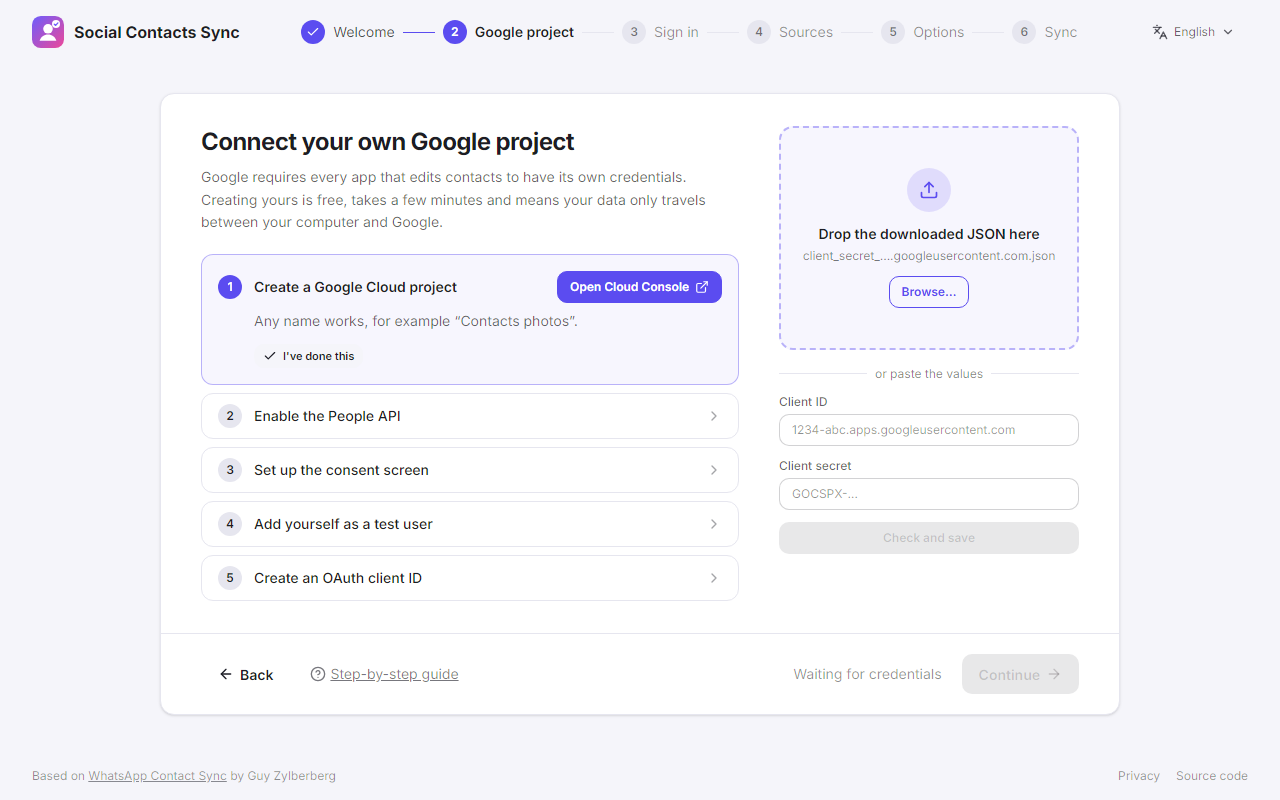
Google asks every app that edits contacts for its own credentials. Creating yours is
free and takes a few minutes; the app links each page of the Google Cloud Console and
checks the result. The builds are not code-signed yet, so Windows and macOS warn on
the first launch; the
README
says how to get past it.
The first-run wizard walks through your own Google project.P
Private by design
Nothing reaches me
There is no Social Contacts Sync service. Your Google sign-in is stored encrypted with
your system's keychain, and the app connects only to Google, WhatsApp Web, Telegram,
Gravatar (which receives a hash of each email address, not the address), the profile
pages saved on your contacts, the public search of Bluesky, Mastodon and GitHub when
you run it, Instagram, Facebook and LinkedIn when you search or scan with your login,
and GitHub to check for updates. It can also run as a self-hosted web app,
from one Docker container.
O
Open and free — support it
Apache 2.0 with the Commons Clause
Free and open source, under the original project's licence. If it saved you an evening of copying photos, a donation is much appreciated.